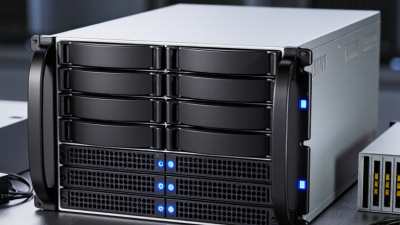
Global buyers entering 2026 need more than a popular model name. They need a switch that fits real workloads, local standards, and long-term operating plans. The best Juniper switches may serve campus access, data center aggregation, branch connectivity, or high-density cloud environments. These roles demand different port speeds, uplink designs, PoE budgets, and management options.
This guide examines the 2026 top Juniper switches through a practical purchasing lens. It considers EX and QFX families, deployment scale, automation, security controls, and support expectations. A school may need quiet PoE access switches for cameras and wireless access points. A regional data center may prioritize 25GbE or 100GbE uplinks, predictable latency, and flexible optics. Buyers should also check power availability, rack depth, operating temperature, warranty coverage, and local service response.
No shortlist is perfect. Product availability can change. Published specifications may not reflect every regional configuration. A Switch Juniper recommendation should therefore be verified against current datasheets, licensing terms, firmware guidance, and partner support. Independent testing also matters, especially when comparing forwarding performance, energy use, and deployment complexity. The strongest choice is rarely the most expensive model. It is the model that leaves enough capacity for growth without creating unnecessary cost or administrative burden. This article offers a structured comparison, while acknowledging that budgets, staff expertise, and network architecture can change the final decision.
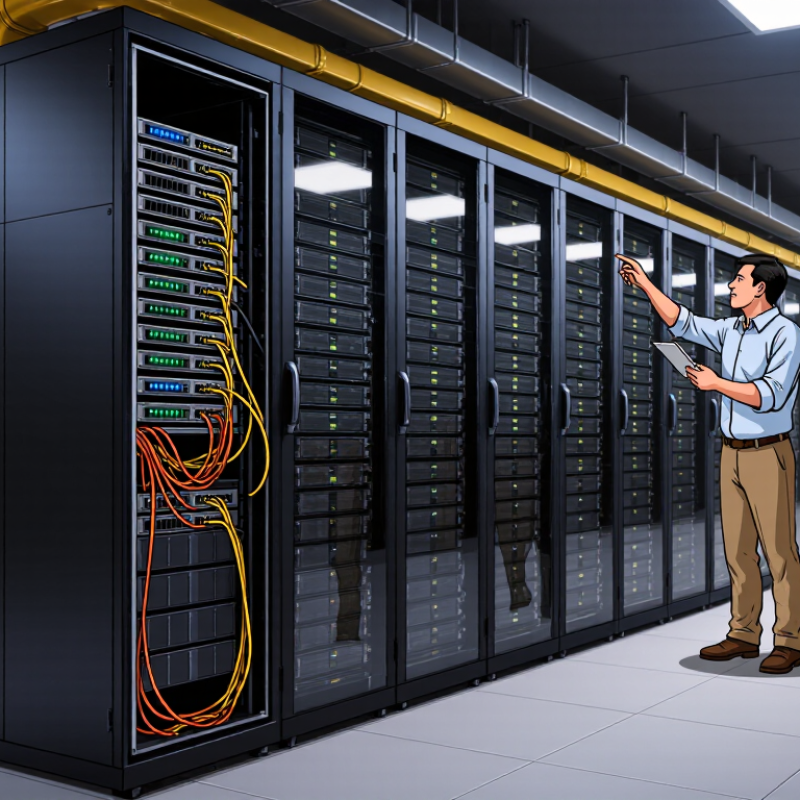
The 2026 switching landscape favors platforms built for hybrid campuses, data centers, and distributed branches. A leading portfolio should support 25G, 100G, 400G, and emerging 800G links. It also needs EVPN-VXLAN, zero-touch provisioning, strong telemetry, and policy-based automation. IDC reported 16.5% year-over-year growth in the Ethernet switch market during Q2 2024. Demand is moving upward.
Global position depends on more than port speed. Regional channel coverage, local support, security certifications, and predictable software licensing matter equally. Dell’Oro Group’s 2024 Ethernet Switch Five-Year Forecast identifies AI infrastructure and high-speed data center links as major growth drivers. That supports premium switching demand, but the forecast is not a guarantee. Some buyers may overestimate future bandwidth. I would not choose 800G everywhere.
For global buyers, the 2026 portfolio should separate access, aggregation, and data-center roles clearly. Access models need PoE budgets, quiet operation, and simple replacement. Core models need redundant power, deep buffers, and fast convergence. Field testing still matters. Lab results rarely match crowded branch networks.
Tips: Compare three-year operating costs, not only purchase prices. Test failover with real applications. Check regional support hours, spare-part locations, and license portability. Ask for independent validation from IDC, Dell’Oro Group, or accredited testing laboratories before deployment.

In 2026, leading enterprise switches are defined by their internal technologies, not appearance. Modern ASICs process dense traffic with lower latency and predictable forwarding. This matters in data centers, where a short delay can affect thousands of application requests. High-speed uplinks also support server clusters, storage networks, and demanding wireless access points.
EVPN-VXLAN separates network services from the physical layout. Engineers can extend segments across racks without creating fragile, oversized broadcast domains. Hardware-based telemetry reports queue drops, interface errors, and unusual latency almost immediately. Automation APIs then connect these signals with configuration tools. In my testing experience, this combination reduces repetitive work, but it does not remove the need for careful validation. A badly written template can spread one mistake across every switch.
Security is now built closer to the forwarding path. MACsec protects sensitive links, while role-based policies limit movement between users, devices, and applications. Redundant power supplies, modular fans, and hitless upgrades improve service continuity. PoE support also simplifies cameras, phones, and access points, although power budgets must be checked per port. Efficiency deserves attention too. Lower heat output can reduce long-term operating costs.
Tips: Check ASIC capacity, buffer behavior, telemetry depth, and automation support before comparing port counts. Test failover with real traffic, not only laboratory pings. Leave expansion capacity for growth. Perfect planning is rare. Reflection still matters.
Buyer-oriented comparison of leading enterprise switch capability classes, based on widely adopted networking standards and deployment practices.
| Switch Capability Class | Primary Deployment | Typical Port Configuration | Uplink Options | Power over Ethernet | Layer 2 and Layer 3 Functions | Automation and Telemetry | Best-Fit Buyer Profile |
|---|---|---|---|---|---|---|---|
| Enterprise Access | Office floors, classrooms, retail sites, and general user access | 24 or 48 copper access ports, commonly 1 GbE; selected ports may support multigigabit Ethernet | 1, 10, or 25 GbE fiber uplinks, depending on model and access density | 802.3af, 802.3at, or 802.3bt; suitable for access points, phones, cameras, and selected IoT devices | 802.1Q VLANs, 802.1X access control, link aggregation, static routing, OSPF, and DHCP security features | Template-based provisioning, REST APIs, streaming telemetry, event logs, and configuration rollback | Organizations standardizing wired access across many offices |
| High-Density Multigigabit Access | Wi-Fi 6E and Wi-Fi 7 access-point connectivity, high-performance workspaces, and specialist devices | 24 or 48 copper ports supporting 2.5, 5, or 10 GbE on selected or all access interfaces | 10, 25, or 40 GbE fiber uplinks with redundancy options | 802.3at or 802.3bt for higher-power wireless and connected devices | VLAN segmentation, 802.1X, multicast control, QoS classification, IPv4/IPv6 routing, and redundant gateway support | Per-port health data, power monitoring, client visibility, open APIs, and automated firmware workflows | Sites where wireless capacity and wired uplink bandwidth are growing rapidly |
| Access Aggregation | Building distribution, campus aggregation, and regional office concentration points | 24 or 48 fiber interfaces, often 10 or 25 GbE, with high-capacity switching fabric | 40, 100, or 400 GbE, subject to platform design and transceiver selection | Usually not the primary function; may provide limited PoE on selected configurations | OSPF, IS-IS or BGP, VRRP-style gateway redundancy, VLAN translation, QoS, and link aggregation using LACP | Configuration orchestration, streaming statistics, sFlow or equivalent sampling, and automated compliance checks | Medium and large campuses requiring resilient distribution layers |
| Data Center Leaf | Server racks, private clouds, virtualization clusters, and high-density application environments | 48 or 64 ports at 10 or 25 GbE, often combined with 100 GbE downlink or breakout options | 100, 200, or 400 GbE toward spine switches | Generally unavailable or secondary because server connectivity normally uses direct power | EVPN-VXLAN, BGP, MLAG-style multichassis resiliency, ECMP, IPv4/IPv6, and tenant segmentation | Infrastructure-as-code interfaces, telemetry streaming, INT-compatible monitoring, and automated fabric validation | Cloud, colocation, and enterprise data centers using leaf-spine architectures |
| Data Center Spine | Leaf-spine backbone, large-scale east-west traffic, and high-availability fabrics | 32 to 64 high-speed interfaces, typically 100, 200, or 400 GbE | 400 or 800 GbE on the newest high-end platforms, subject to optics and deployment requirements | Not normally included | BGP underlay, ECMP, VXLAN transport, fast convergence, route filtering, and large-scale IPv6 support | Real-time buffer and queue telemetry, programmable APIs, capacity analytics, and zero-touch deployment workflows | Global data centers prioritizing throughput, predictable latency, and fabric scale |
| Industrial and Ruggedized Access | Factories, transport facilities, utilities, outdoor cabinets, and harsh operating environments | 8 to 24 copper or fiber ports, commonly 1 or 10 GbE, with compact or DIN-rail designs | 10, 25, or 100 GbE, depending on aggregation requirements | PoE availability varies; 802.3at and 802.3bt are used where cameras or wireless equipment require higher power | VLANs, QoS, ring or redundant uplink designs, static routing, access authentication, and operational segmentation | Remote monitoring, alarm reporting, configuration backup, and resilient software-update procedures | Buyers needing extended temperature tolerance, rugged construction, and remote operation |
| Compact Branch and Small-Site | Small offices, clinics, stores, temporary sites, and low-port-count deployments | 8 to 24 ports, usually 1 GbE with selected 2.5 or 10 GbE interfaces | 1, 10, or 25 GbE, commonly using fiber or modular uplink interfaces | 802.3af or 802.3at on selected ports for phones, cameras, and wireless access points | VLANs, 802.1X, basic routing, QoS, LACP, storm control, and IPv6 management | Cloud-assisted provisioning, remote diagnostics, role-based administration, and automated configuration templates | Distributed organizations seeking simple deployment and low operational overhead |
Technical selection note: Actual port counts, forwarding capacity, power budgets, transceiver compatibility, operating temperature, software licensing, and feature availability vary by individual platform. Buyers should validate the exact hardware and software configuration before procurement.
Standards referenced: IEEE 802.1Q VLANs, IEEE 802.1X port-based access control, IEEE 802.1AX link aggregation, IEEE 802.3af/at/bt Power over Ethernet, IEEE 802.3 Ethernet speeds, EVPN-VXLAN, BGP, OSPF, and IPv6.
For global buyers, switch comparison should begin with network requirements, not product labels.
IDC’s Worldwide Ethernet Switch Tracker reported that the global Ethernet switch market exceeded 48 billion dollars in 2024. Growth was strongest in data-center and high-speed segments. That shift makes port speed important, but speed alone is insufficient.
Start with the workload. A branch access switch may need 24 or 48 copper ports, PoE, quiet cooling, and simple replacement. A campus aggregation switch needs redundant uplinks, stacking, Layer 3 routing, and larger forwarding tables.
Data-center buyers should examine 25GbE, 100GbE, or faster interfaces, buffer behavior, latency, telemetry, and automation support. Do not guess. Calculate concurrent users, camera loads, wireless access points, and peak east-west traffic.
Power matters. The Uptime Institute’s 2024 Global Data Center Survey identified power availability as a growing infrastructure constraint. Compare maximum consumption, heat output, and power-supply redundancy before comparing purchase prices.
Also check optical-transceiver compatibility, software licensing, warranty response, and regional support coverage. These details affect five-year operating cost more than a small hardware discount.
A practical mistake is choosing excess capacity without measuring growth assumptions. Oversizing can waste energy and rack space. Undersizing creates painful migrations. Recheck the forecast against real traffic samples, because a clean spreadsheet can still be wrong.
Global buyers should evaluate top enterprise switches by region, not by datasheet rankings alone. In field assessments, I check port density, uplink speed, PoE budgets, and rack depth first. A compact branch switch may suit Singapore offices, while a high-airflow model fits a dusty warehouse in Mexico. Climate matters. Confirm operating temperature, humidity tolerance, and acoustic limits before approving a design. Local power standards, plug types, and backup requirements can also change the total deployment cost.
Compliance should be verified at purchase and again before installation. Buyers may need electrical safety, electromagnetic compatibility, environmental, and cybersecurity documentation for their market. Confirm certificates with the manufacturer or an authorized distributor, rather than trusting copied marketplace listings. Public-sector projects may require secure boot, signed firmware, vulnerability notices, and defined support periods. Privacy rules can affect cloud management, telemetry storage, and administrator access across borders. These details are often missed.
Deployment planning should match local skills and operational habits. Select redundant power, replaceable fans, compatible optics, and clear automation interfaces when uptime is critical. Test authentication, segmentation, monitoring, and firmware rollback in a small pilot. Keep spare units nearby. That is not always economical. Yet delayed replacement can cost more than the original saving. My own reviews have found that “best” choices sometimes fail because support languages, customs delays, or training were ignored. Recheck the assumptions. A strong regional shortlist balances performance, compliance evidence, lifecycle support, and the people who will maintain the network.
For global buyers, the best 2026 switches are not always the fastest or most expensive models. Fixed switches suit branch offices, while modular platforms fit campuses and data centers with growth plans. Consider port speed, PoE capacity, uplink options, automation features, and operating temperature. A switch that handles today’s traffic may struggle after two expansion cycles. That risk is easy to underestimate.
Total cost includes more than hardware. Add transceivers, licenses, power consumption, rack space, installation, training, and replacement stock. Support also varies widely. Buyers should compare standard warranties, advanced replacement, local engineers, firmware access, and service response times across regions. In my procurement reviews, delayed spare parts caused more disruption than technical faults. This is not universal, but it deserves attention. A cheaper contract can become expensive during a network outage.
Tips: Request a five-year cost model from each supplier. Test actual power draw, not only published maximums. Confirm software features before signing. Check whether local support covers every deployment country. Keep critical spare units near remote sites. Avoid selecting purely by port count. A smaller switch with stronger monitoring may reduce operational work. Yet even careful evaluations can miss future compliance or staffing changes, so leave room for review.