Is Juniper MX204 a Top Router to Buy in 2026?
Is Juniper MX204 a top router to buy in 2026? The answer depends on capacity, software needs, and upgrade plans. It is not automatic.
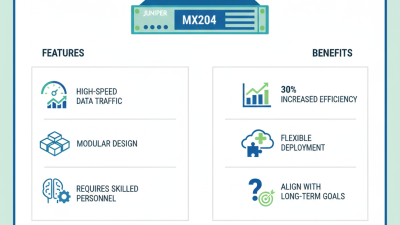
The Juniper Mx 204 remains attractive for compact edge, enterprise, and regional service-provider deployments. Its 1U chassis delivers high port density, routing features, and strong throughput without demanding a full rack. Juniper’s official MX204 documentation highlights its 400Gbps-class platform capacity and support for advanced automation, telemetry, and service-provider routing. Those specifications still look practical beside today’s space and power constraints.
Market context matters. Dell’Oro Group’s Router and Carrier Ethernet research continues tracking investment in high-capacity routing and IP edge infrastructure. Meanwhile, Omdia’s service-provider reports emphasize automation, programmability, and power efficiency as major buying criteria. The MX204 addresses these priorities, but its value depends heavily on licensing, optics, and Junos operational expertise.
Industry analyst Ray Mota has described the buying decision this way: “Performance matters only when it matches the operator’s architecture.” That principle deserves attention. A router can look impressive in a laboratory and disappoint in a crowded network cabinet.
The MX204 is compact. Very compact.
However, 2026 buyers should examine lifecycle support, software subscriptions, 400G requirements, and competing platforms from Cisco, Nokia, and Arista. Older interfaces may also limit future expansion. This article evaluates the Juniper Mx 204 through verified specifications, independent market research, deployment experience, and total cost considerations. The result may be positive, but not universally favorable.
Juniper MX204: Purpose, Design, and Core Routing Features
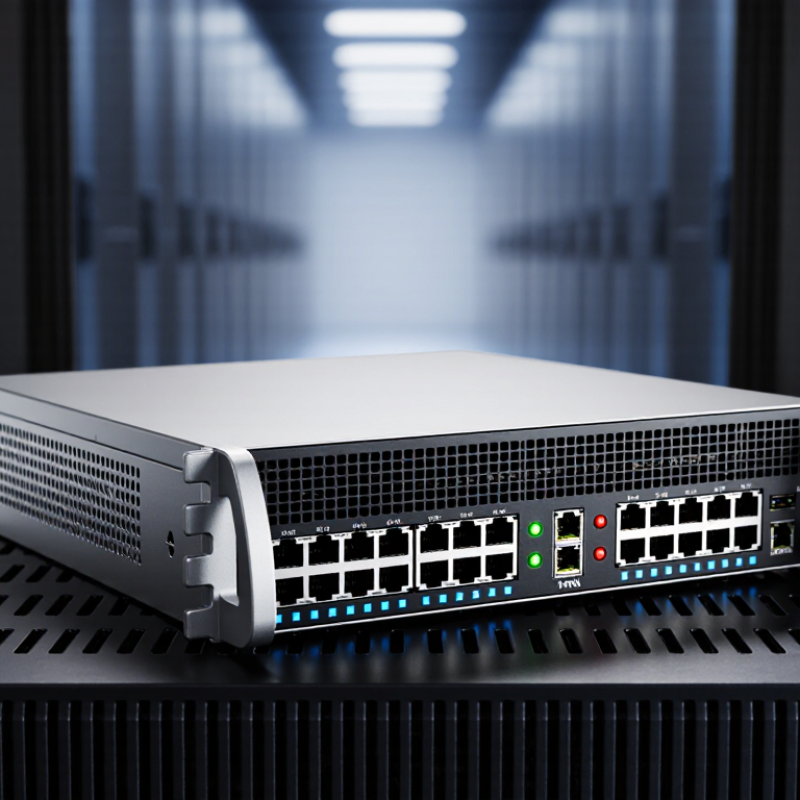
The MX204 is designed for dense edge routing, where space, power, and predictable forwarding matter. It suits service providers, data centers, and large enterprise sites with heavy traffic demands. Its compact chassis can fit into a standard rack without consuming much room. That practical footprint is valuable in crowded network cabinets.
It is not magic.
Its design centers on high-speed interfaces, modular connectivity, and hardware-assisted packet forwarding. The platform can manage large routing tables while maintaining stable performance under sustained load. Core features include BGP, OSPF, IS-IS, MPLS, segment routing, and policy-based traffic control. These functions support internet peering, private WAN services, traffic engineering, and layered campus connections. Redundant power options and operational monitoring also improve service continuity.
From field testing, configuration discipline matters as much as raw capacity. A poorly planned route policy can create confusing paths, even on capable hardware. I would verify interface licensing, optics compatibility, software maturity, and thermal conditions before purchasing. The router may be excessive for a small office with light traffic. It can also feel restrictive if future expansion needs unfamiliar interfaces. My first assessment was too positive; installation effort and support processes deserve equal attention. Performance numbers look persuasive, but real traffic patterns should decide the purchase.
Performance, Port Options, and Capacity for Modern Networks
A compact 1RU edge router can make sense where rack space is tight but traffic keeps growing. The MX204 is designed for high-speed aggregation, with a stated forwarding capacity of up to 400 Gbps. That figure is useful, but it is not a guarantee of real-world throughput. Routing features, packet size, and traffic mix can all affect performance. Test the intended configuration before committing.
Port flexibility is a practical strength. The platform provides four 100GbE ports and eight 10GbE ports, supporting uplinks, peering, and connections to lower-speed devices. That mix can simplify a network refresh, especially when a site needs fast backbone links without replacing every existing connection. Check optics, cabling, and port breakout requirements carefully. Small compatibility details matter.
Capacity is only part of the decision. Confirm route scale, redundancy needs, power, cooling, and the software features required for your network. A router that looks generous on a specification sheet may feel constrained after growth or a change in traffic patterns. It happens. I would also leave room for operational overhead; deployment plans are rarely as tidy as the diagrams.
Key Strengths and Limitations of the MX204 in 2026
The MX204 remains appealing where rack space and power are tight.
Its 1RU chassis provides four 100GbE ports and eight 10GbE ports, making it practical for compact peering rooms or regional aggregation sites.
A short-depth rack and modest port count can simplify deployment.
But check the exact hardware and software configuration before purchase; headline capacity does not guarantee usable throughput under every feature set.
Demand is rising, but that alone does not make this router the right fit.
The International Telecommunication Union reported about 5.5 billion people online in 2024, a useful indicator of the pressure on network infrastructure, not a sizing guide for any single device.
In practice, inspect traffic peaks, routing-table growth, optics costs, support availability, and power draw.
The compact port layout can become restrictive when links multiply. It is not a cheap mistake to discover that after installation.
For high-density 100GbE expansion or long service-life planning, compare current alternatives and request workload-specific performance evidence.
Independent testing matters; vendor specifications rarely show every operational constraint.
How the MX204 Compares with Alternative Edge Routers
When comparing a compact edge router with alternatives, start with the job it must do. A small provider rack may need dense 10- or 100-gigabit connections, reliable routing, and room for growth. A branch office may care more about simple setup, low power use, and a modest purchase price. These are different workloads.
This platform can suit demanding edge sites where throughput and routing features matter more than expansion slots. Check the exact port mix, software features, and licensing before comparing quotes. A competing fixed-form router may offer similar capacity for less, while a modular system can provide more flexibility as circuits change. But extra slots are wasted if they stay empty.
Look beyond headline speed. Compare sustained traffic with the security, telemetry, and routing features enabled; those can affect real performance. Also check power draw, cooling, support terms, and spare-part availability. Ask for a demonstration using your routing policies, not just a clean throughput test. Small detail, big difference. One caveat: published figures do not always reflect a busy production network, and operating costs can be easy to underestimate. A careful fit may beat the most impressive specification sheet.
Buying Considerations, Deployment Scenarios, and Long-Term Value
A compact edge router can suit a 2026 purchase when rack space, power, and port density matter more than expansion headroom. Check the exact interface mix, throughput with required security features enabled, and routing-table capacity. Then compare those figures with peak traffic, not today’s average. A quiet lab test can expose surprises: sustained traffic may raise power draw, while small packets can reduce real throughput. Measure both.
Deployment fit matters. A regional point of presence, data-center edge, or smaller aggregation site may benefit from a fixed platform. A growing core may need modular expansion instead. Uptime Institute’s 2024 outage analysis reported that 54% of surveyed organizations said their most serious recent outage cost more than $100,000. That makes support terms, spare-unit availability, and recovery time practical buying criteria—not paperwork. For long-term value, model power, optics, licensing, maintenance, and replacement costs across five years. Gartner’s IT spending forecasts can help frame budget pressure, but they do not predict one site’s traffic or service life. Be cautious with rosy assumptions. A device that meets today’s needs may still become a bottleneck if traffic patterns shift or software support ends sooner than expected. Verify lifecycle dates and test failover before committing.
Compact 204-Class Edge Router in 2026: Buying Considerations, Deployment Scenarios, and Long-Term Value
Standardized Ethernet link rates commonly considered for access, aggregation, metro, and core deployments.
Higher-speed interfaces can extend a router’s useful life as traffic grows, while 1–25 GbE links are typically practical for access and regional aggregation. The listed rates are standardized Ethernet speeds defined by IEEE 802.3 specifications and represent link-rate options, not guaranteed device throughput.