Top 10 Juniper MX960 Specs Global Buyers Need to Know?
Choosing a high-capacity edge router requires more than reading a product brochure. The Juniper Mx960 remains relevant for service providers, data centers, and large enterprise networks that need dense, resilient routing. Its modular chassis supports multiple line-card options, redundant routing engines, and flexible interface speeds. However, published specifications can appear clearer than real deployment conditions. Rack space, airflow, power draw, and software compatibility may change the final decision.
This guide examines ten Juniper MX960 specs that global buyers should verify before purchase. These include forwarding capacity, slot architecture, port density, packet processing, control-plane redundancy, and supported protocols. It also considers operating temperature, power requirements, chassis dimensions, and maintenance planning. Small details matter. A single unsupported module can delay a network upgrade.
Reliable evaluation should combine Juniper documentation, current software release notes, and practical installation data. Buyers should confirm whether quoted throughput applies to their packet sizes and feature set. They should also check regional support terms, replacement logistics, and firmware access before signing an order. Experienced engineers often test the proposed configuration in a lab first. That step is easy to skip. It can prevent expensive surprises later.
The MX960 is powerful, but it is not automatically the right platform for every network. Some specifications depend on hardware generation and licensing. That point deserves careful review. This overview therefore treats each figure as a planning reference, not an unconditional promise. Used carefully, it can help technical teams compare capacity, resilience, lifecycle value, and operational risk with greater confidence.
MX960 Chassis, Slot Layout, and 14U Rack Requirements
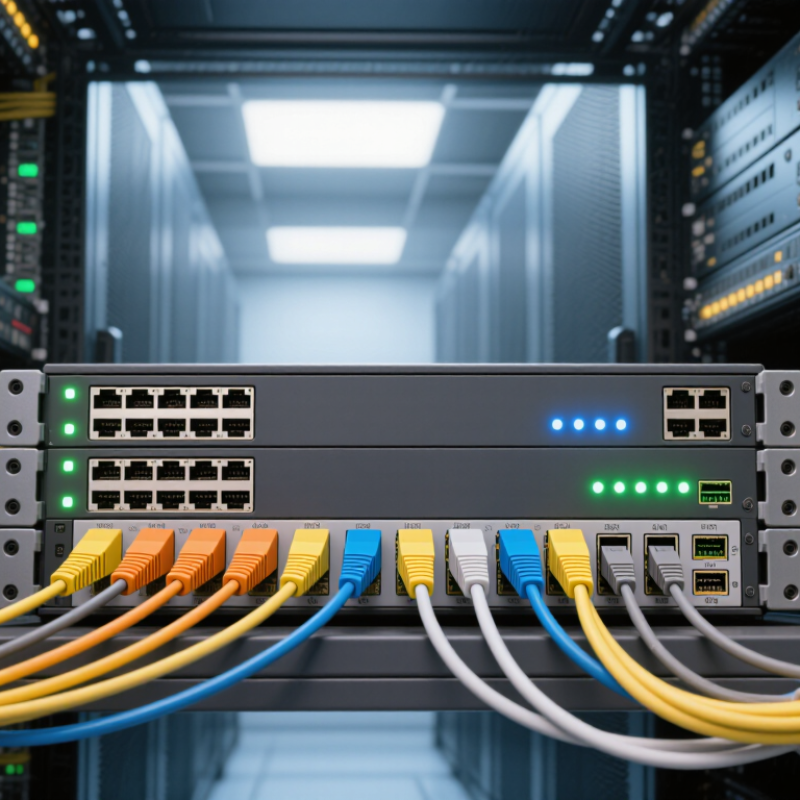
The MX960 is a modular chassis built for dense carrier and enterprise routing. Its 14U height requires a full, uninterrupted rack section. Measure twice. A loaded chassis can become difficult to move, align, and service, especially in a crowded data center aisle. Confirm rack depth, rail compatibility, floor loading, and front-to-back airflow before delivery. A standard 19-inch rack is typical, but the cabinet must also support the equipment’s weight and cable radius.
The internal layout separates routing, switching, and line-card functions across dedicated positions. Buyers should verify the exact slot map for their hardware revision, because supported modules and placement rules can change. Keep control and fabric components in their approved locations. Do not assume every empty slot accepts every card. That mistake can delay commissioning. Leave clear space for power modules, fan trays, fiber bends, and technician access. Power feeds should be planned as separate, protected circuits where local requirements allow.
From field installation experience, cable management often needs more attention than the chassis itself. High-density optical connections can block airflow or pull against transceivers when routed too tightly. Use labeled, supported bundles with gentle bend paths. Check grounding before powering the system. A rushed rack plan may fit the chassis but fail during maintenance. That is worth reconsidering. Allow practical service clearance around the 14U footprint, and document slot assignments before hardware arrives.
Forwarding Capacity and Line-Card Scaling Across 10/25/100GbE
Forwarding Capacity and Line-Card Scaling Across 10/25/100GbE
A modular edge router should be judged by usable forwarding capacity, not headline throughput. The Annual Internet Report projected global IP traffic at 396 exabytes per month in 2022, up from 122 exabytes in 2017. That growth makes fabric bandwidth, packet processing, and redundancy equally important. A high-capacity chassis can still disappoint when several line cards share a congested switching plane.
The International Telecommunication Union’s Facts and Figures 2024 recorded 5.5 billion people online. More users now depend on cloud platforms, video, and real-time applications. Ten-gigabit ports remain practical for legacy access and business services. Twenty-five-gigabit interfaces fit modern servers and compact aggregation layers. One-hundred-gigabit uplinks reduce cable density and create cleaner paths toward the core.
Scaling needs careful inspection. A line card may advertise many ports, but its total throughput can fall under mixed packet sizes, encryption, or heavy feature use. Check fabric capacity, slot bandwidth, buffer design, and optical support together. Breakout options can turn one 100GbE port into four 25GbE connections, although compatibility is not automatic. It depends on optics, software, and forward-error correction. The arithmetic is not perfectly clean. Real traffic is bursty, and published maximums rarely describe a busy evening. Testing with small packets remains essential.
Top 10 High-Speed Ethernet Specs Global Buyers Need to Know: Forwarding Capacity and Line-Card Scaling Across 10/25/100GbE
This chart shows theoretical one-direction aggregate forwarding capacity as port density increases. Values are calculated from standardized nominal Ethernet rates: 10GbE, 25GbE, and 100GbE. Full-duplex capacity is approximately twice the displayed value.
Formula: aggregate capacity = port count × nominal port speed. Actual platform forwarding limits can vary with architecture, packet size, oversubscription, interface configuration, and enabled services.
Interface Standards: IEEE 802.3 Ethernet Speeds and Optics
Interface Standards: IEEE 802.3 Ethernet Speeds and Optics
A high-capacity routing chassis must match interface standards with real traffic patterns. IEEE 802.3 defines major Ethernet families, including 10GbE, 25GbE, 40GbE, 100GbE, and 400GbE. Each speed can require different lanes, encoding, reach, and optical modules. For example, 100GbE may use four 25Gb/s lanes or a single 100Gb/s lane, depending on the standard. This distinction affects port density and upgrade planning.
The Ethernet Alliance 2024 roadmap identifies 200GbE, 400GbE, 800GbE, and 1.6TbE as important development directions. Its data shows that higher-speed Ethernet continues moving toward wider lane aggregation and improved optical efficiency. IEEE 802.3bs supports 200GbE and 400GbE, while IEEE 802.3ck addresses 100Gb/s electrical lanes. These details matter during procurement. A port labeled “400G” is not enough. The connector, wavelength, fiber type, and breakout design must also match. I have seen deployment plans fail because optics were selected after the chassis arrived.
Tips: Confirm IEEE compliance, DOM monitoring, reach, and temperature ratings before purchase. Check whether 400G ports support 4x100G breakout. Also verify fiber polarity. Small errors become expensive in dense cabinets.
LightCounting’s 2024 optical-transceiver analysis highlights strong demand for data-center optics driven by accelerated computing. Still, forecasts are not guarantees. A cautious buyer should compare current traffic, spare capacity, and future lane requirements. Compatibility deserves more attention than headline speed.
Routing Features: BGP-4, IS-IS, MPLS, and EVPN Standards
For global buyers, routing standards often matter more than headline port counts. A high-capacity modular router should support BGP-4 for external connectivity and controlled policy exchange. BGP communities can separate customer, peer, and transit routes clearly. IS-IS provides a stable interior path across dense service-provider networks. Its link-state design helps operators trace failures from one interface to the next.
MPLS remains valuable for traffic engineering, Layer 3 VPNs, and predictable service separation. EVPN adds flexible Layer 2 and Layer 3 services through a modern control plane.
It can reduce manual provisioning across data-center and metro environments. During testing, buyers should verify route convergence under load, not only successful protocol sessions. A quiet lab can hide operational problems.
Interoperability also deserves careful review, especially with mixed software releases and older edge devices. Some advertised capabilities may require specific licenses or line cards.
Tips:
Request a live demonstration with BGP-4, IS-IS, MPLS, and EVPN enabled together. Check failure recovery, route-policy behavior, and configuration rollback. Compare standards compliance with real deployment results. Ask for documented scale limits, software dependencies, and upgrade procedures. Keep test traffic realistic, including bursts and asymmetric paths. Small details matter.
Resilience, Power Architecture, and NEBS-Compliant Deployment Criteria
Global buyers evaluating a high-capacity modular router should examine resilience beyond headline throughput. In field deployments, redundant routing engines, fabric modules, power supplies, and fan trays reduce the impact of one failed component. Hot-swappable parts also limit maintenance windows. That matters in remote facilities.
Power architecture deserves closer attention. Confirm whether the chassis supports dual AC, DC, or mixed-feed operation for your site. Separate power circuits improve fault tolerance, while A and B feeds protect against a single breaker event. Check connector types, input voltage ranges, circuit capacity, and cable clearance before ordering. Small oversights become expensive during installation.
NEBS-compliant deployment requires more than a compliance label. Buyers should verify seismic performance, thermal limits, airflow direction, grounding, electromagnetic compatibility, and fire-resistance documentation. Rack depth and weight need practical review, especially in older telecommunications rooms. Leave service clearance around rear modules and power connections. I have seen projects pass technical review but fail on aisle temperature or grounding details. That assumption is risky.
Reliable planning also includes local acceptance tests. Measure inlet temperature, exhaust temperature, power draw, alarm behavior, and failover time under realistic traffic. Documentation should identify supported software versions and replacement procedures. A useful specification is one the operations team can verify, not merely one printed in a product sheet. Perfect plans rarely survive the first installation.